
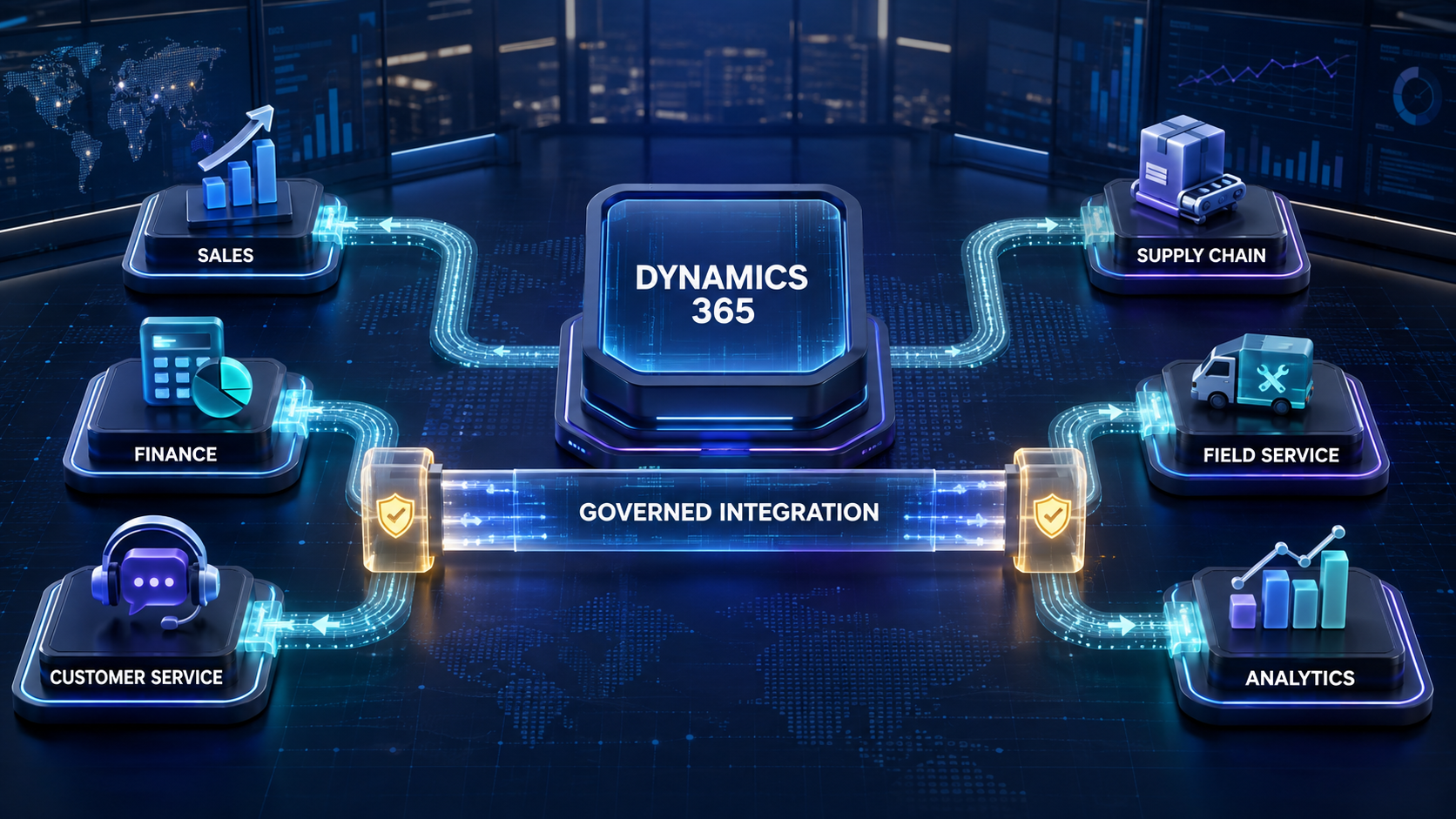
Create governed customer-to-cash workflows across Dynamics 365, Dataverse, Power Platform, and specialized enterprise systems.
| EXECUTIVE PREMISE: Dynamics 365 delivers its greatest value when sales, finance, supply chain, project, service, and external systems exchange trusted business states—not merely replicated fields. BOC helps govern the decisions, handoffs, exceptions, and outcomes across that connected environment. |
Integration Is Where A Dynamics 365 Investment Becomes An Operating System
Microsoft Dynamics 365 can support customer engagement, financial management, supply chain execution, projects, field service, and analytics. Yet licensing multiple applications does not automatically create one coherent process. Sales may close an opportunity while finance still lacks billing data. Customer service may see an account but not the current entitlement. Operations may receive an order before a nonstandard term has been approved. Leaders may see activity in several dashboards without being able to reconcile the commercial promise with the delivered result.
A mature integration strategy connects business states across those boundaries. It determines which application owns each record, which event authorizes the next action, what evidence must travel with the handoff, how identities and permissions are enforced, and how failures become accountable work. The objective is not to make every application contain the same data. It is to ensure that each system receives the information and mandate required to perform its specialized role.
Business Ops Center (BOC) provides the enterprise operational governance around these connections. It helps an enterprise move from a technically connected Microsoft environment to a controlled, observable, and improvable customer-to-outcome process.
The Highest-Value Dynamics 365 Integration Moments
Integration opportunities should be prioritized around consequential lifecycle moments. Each moment needs a business-ready trigger, an authoritative source, validation, an accountable owner, a durable downstream reference, and a defined outcome.
| Business moment | Connected action | Primary owner | Control question |
|---|---|---|---|
| Lead accepted | Route and create qualified follow-up | Dynamics 365 Sales | Is ownership and consent valid? |
| Quote approved | Release order and billing terms | Sales / Finance | Are price and terms authorized? |
| Deal won | Initiate delivery and onboarding | Project operations | Is the sold scope complete? |
| Customer active | Create entitlement and service context | Customer Service | What service level applies? |
| Order released | Reserve, produce, ship, or fulfill | Supply Chain | Can execution be reconciled? |
| Field work required | Create work order and dispatch | Field Service | Are asset, skill, and location known? |
| Outcome recorded | Update financial and performance views | Finance / Analytics | Do measures share definitions? |
1. Connect Dynamics 365 Sales to Finance
The transition from opportunity to order is a control boundary. Sales works with prospects, products, forecasts, proposals, and negotiation. Finance needs the legal customer, currency, tax treatment, payment terms, credit status, product or service lines, revenue rules, and the date on which an obligation can be billed. Treating a closed opportunity as an automatically valid financial transaction can create duplicate customers, incorrect terms, rejected orders, or revenue delays.
When Microsoft Dynamics 365 Sales and Finance are part of the same landscape, Dataverse and dual-write can support tightly coupled, bidirectional data movement for appropriate entities. Microsoft describes dual-write as near-real-time integration between customer engagement and finance and operations applications. That capability is powerful, but it does not remove the need to decide which state is authoritative or when the process is ready to advance.
- Validate customer identity and legal-entity context before financial creation.
- Map product, unit, currency, tax, price, and discount semantics explicitly.
- Preserve evidence for nonstandard pricing, credit, and commercial terms.
- Return order, invoice, payment, or hold status at the level sales needs.
| BOC OPPORTUNITY BOC can govern the release decision, coordinate approvals, capture downstream acceptance, and create an owned exception when financial creation fails. The process does not stop at a successful synchronization event; it follows the commercial commitment to a verified financial outcome. |
2. Connect Sales to Project and Service Delivery
A won deal should produce an executable delivery package, not an email asking operations to interpret the CRM record. Dynamics 365 Project Operations or another project platform may need the approved scope, customer, sold services, milestones, billing model, delivery location, assumptions, stakeholders, target dates, and source opportunity.
The Salesforce integration should distinguish a standard project from work requiring delivery review. Missing scope, an unapproved dependency, or an unrealistic start date should become a visible precondition rather than an incomplete project. Once accepted, the downstream project identifier and readiness state should return to the account team so customer communication is based on the operating record.
This connection also improves margin and promise management. Leaders can compare what was forecast, what was contracted, what delivery was accepted, what effort was consumed, what finance billed, and what the customer ultimately received.
3. Connect Dynamics 365 Customer Service
Customer Service needs a trusted view of the customer, active products, contracts, entitlement, support tier, cases, and relevant commercial context. Integration can establish this view when the customer becomes eligible for service and keep selected attributes aligned without copying every record into every application.
The service application should own case workflow, queues, service-level commitments, knowledge, resolution, and customer communication. Sales and account teams need carefully chosen signals: a critical escalation, repeated service issue, satisfaction risk, or unresolved case near renewal. Two-way integration should share actionable context while respecting data sensitivity and access boundaries.
- Activate entitlements only after the required commercial and operational conditions are met.
- Link cases to durable customer, product, asset, and contract identifiers.
- Route material escalations with owner, priority, due time, and evidence.
- Restrict sensitive case details to users with a business need.
4. Connect Supply Chain, Orders, and Fulfillment
Dynamics 365 Supply Chain Management or an external fulfillment platform translates demand into inventory, production, warehouse, transportation, and delivery activity. The handoff may require valid product codes, units, configurations, quantities, inventory sites, ship-to details, requested dates, delivery methods, and release status.
The integration must account for inventory and product semantics that differ from the commercial view. It should reject or route incomplete lines, use stable keys, and prevent retries from generating duplicate orders. Shipment, backorder, cancellation, return, and delivery milestones can flow back to customer-facing applications, so teams communicate from verified operational status.
This pattern also applies to business card ordering. An approved customer or employee-related request can pass validated identity, brand, authorization, quantity, and shipping data into Business Card Manager. BCM manages specialized ordering and fulfillment, while BOC maintains the cross-system mandate, exception ownership, evidence, and closure path.
5. Connect Dynamics 365 Field Service
When a product requires installation, inspection, repair, or on-site service, the customer record must connect to an asset, location, entitlement, skill requirement, work order, schedule, and technician outcome. Dynamics 365 Field Service can coordinate that execution, while upstream applications provide trusted customer and contract context.
A governed flow creates work only when the asset and service obligation are known, routes exceptions when required skills or parts are unavailable, and returns appointment and completion states to the relevant customer record. Completion should be verified through required evidence—not inferred solely from a closed work-order status.
6. Connect Collaboration, Documents, and Analytics
Microsoft Teams, SharePoint, and communication tools can bring work into the channels employees already use. The best integrations send decision-ready messages rather than duplicating every Zoho CRM integration update. An approval request should show the business record, relevant evidence, authority, decision options, due time, and accountable owner. The system record remains authoritative; collaboration accelerates response.
Documents also require lifecycle discipline. Proposals, contracts, statements of work, order evidence, and customer correspondence need stable links, access controls, versions, retention, and relationship to the correct business record. A shared folder is useful only when the enterprise can establish what document was effective for a particular decision.
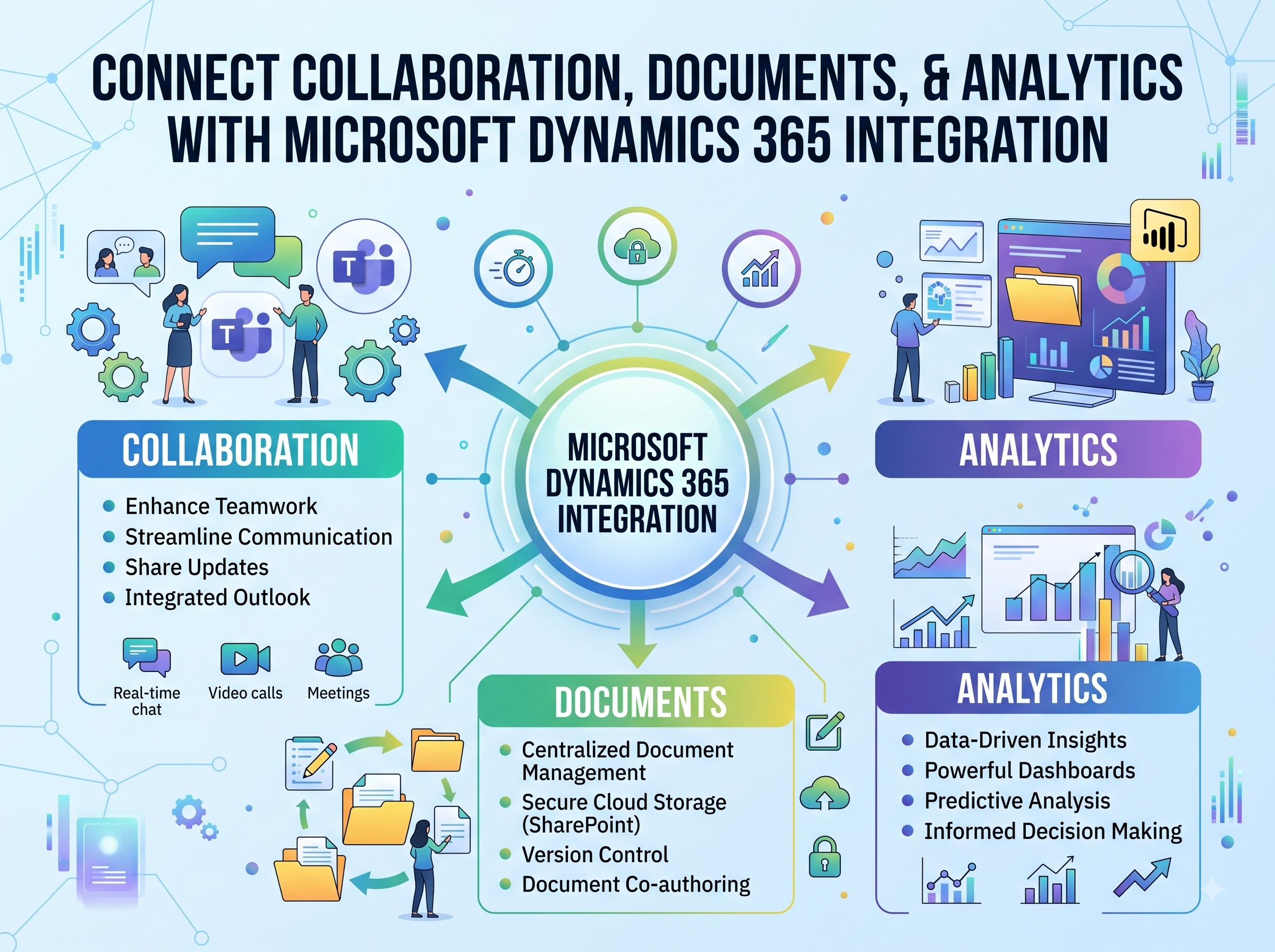
Power BI and other analytics platforms can combine sales, finance, service, project, supply-chain, and field outcomes. This enables more valuable questions: Which opportunities become paid, profitable customers? Where does closed-won to delivery-ready slow down? Which exceptions create margin loss? How do service issues affect renewal? Analytics must use governed definitions, lineage, refresh expectations, and reconciliation rather than becoming a hidden integration hub.
Choosing the Right Microsoft Integration Pattern
The Microsoft platform offers several integration mechanisms. Dataverse provides a shared data and security foundation for Dynamics 365 customer engagement applications and Power Platform solutions. Its Web API supports programmatic access to tables and operations. Power Automate can coordinate event-driven workflows across Microsoft and third-party connectors. Azure services can support more complex messaging, integration, transformation, and monitoring requirements. Dual-write provides tightly coupled bidirectional synchronization between Dataverse and finance and operations applications for supported scenarios.
These mechanisms solve different problems. A user notification does not need the same architecture as customer-to-cash synchronization. A bulk migration is different from a near-real-time business event. A cross-enterprise order release needs validation, idempotency, sequencing, state management, monitoring, reconciliation, security, and recovery.
Dual-write deserves particular governance attention. Microsoft documents prerequisites and limitations, including one-to-one environment relationships, tenant and datacenter requirements, legal-entity considerations, and the absence of distributed transactions. An organization must therefore plan for partial completion and reconciliation rather than assuming one cross-system transaction will roll back everywhere.
The Governed Customer-to-Outcome Lifecycle
A dependable integration architecture follows the business lifecycle:
- Capture: Sales records customer need, stakeholders, products, activity, consent, and commercial context.
- Qualify: Required information, ownership, fit, and risk are checked before advancement.
- Approve: Pricing, terms, credit, scope, and exceptions reach authorized decision-makers.
- Commit: A governed event establishes the approved customer or commercial obligation.
- Execute: Finance, delivery, service, supply chain, field service, or external systems receive complete mandates.
- Acknowledge: Each downstream application returns a durable identifier and acceptance state.
- Monitor: Delays, errors, mismatches, and customer-impacting exceptions become visible work.
- Reconcile: Sales intent is compared with operational, service, and financial outcomes.
- Improve: Repeated exceptions drive governed changes to data, rules, mappings, and workflow.
Design Rules for Reliable Dynamics 365 Integrations
- Define system-of-record ownership for every shared business object and critical field.
- Trigger from business-ready states, not convenient field changes or user assumptions.
- Use stable alternate keys and idempotent processing to prevent duplicate records.
- Model legal entity, currency, units, product, address, and status semantics deliberately.
- Apply least privilege through Microsoft Entra identities, Dataverse roles, application users, and appropriate API permissions.
- Separate technical acceptance from business completion and verified outcome.
- Create monitored exception paths with owner, evidence, priority, remediation, and closure criteria.
- Plan for solution changes, connector updates, schema evolution, platform releases, and recovery.
Common Failure Patterns
Integration programs fail when architecture starts with connectors rather than operating decisions. Teams synchronize fields without establishing ownership, trigger financial or operational work too early, ignore legal-entity context, or allow two applications to overwrite each other. They may monitor infrastructure health while customer-impacting exceptions remain invisible to business owners.
Another failure is assuming that a Microsoft-native connection is automatically governed. Shared technology can simplify authentication, data access, and development, but the enterprise still must define authority, validation, acceptable states, exception handling, segregation of duties, retention, and outcome verification.
How Business Ops Center Supports Dynamics 365 Customers?
BOC helps organizations design and operate the governed layer across Dynamics 365 and the systems around it. It does not replace Dynamics 365 Sales, Finance, Supply Chain Management, Customer Service, Field Service, Project Operations, Dataverse, Power Platform, or Azure. It makes the decisions and handoffs across those capabilities observable and accountable.
- Map the customer lifecycle and rank integrations by value, risk, frequency, and handoff friction.
- Define event contracts, system ownership, keys, validation, approvals, and acceptance criteria.
- Connect commitments to owners, evidence, exceptions, reconciliations, and verified outcomes.
- Create a reusable governance pattern across Microsoft and non-Microsoft applications.
- Use operating evidence to improve data quality, mappings, automation, and customer experience.
A Practical Starting Point
Begin with one measurable boundary: approved quote to order, closed-won to project creation, active customer to service entitlement, or released order to fulfillment. Document current delay, rework, errors, and ownership gaps. Define the business-ready event, minimum data contract, authoritative systems, approval evidence, exception owner, downstream acceptance, and outcome measures. Implement monitoring and reconciliation at the same time as the integration—not after the first incident.
| If Dynamics 365 contains the right applications but your customer journey still depends on rekeying, email approvals, disconnected status updates, and manual reconciliation, Business Ops Center can help turn one high-value handoff into a governed integration pattern that scales across the enterprise. |